How to Turn a Still Image into a Short Video with AI
What drives the shift from static to moving images
For years, creating a short video meant either filming live footage or stitching together multiple still images with transitions. Neither approach gave a single photograph the kind of natural motion that video viewers expect. Recent advances in video generation have changed that. Now a single image can become a short clip that moves realistically, keeps the same subject throughout, and even includes sound that fits the scene. The process is neither magic nor fully automatic, but it has become practical enough for designers, marketers, and hobbyists to use regularly.
The core idea is motion transfer. A model learns how objects in a scene should move by studying thousands of video clips. When you give it a still image, it predicts the most probable next frames. The challenge is keeping everything consistent. A face should not change identity, a jacket should not change color, and a tree should not warp into something else. Temporal consistency is the term for this stability across frames, and it is what separates a convincing short video from a flickering mess.
Where the process starts: choosing the right image
Not every photo works equally well as a starting frame. Images with clear subject separation, good lighting, and a simple background tend to yield better results. A portrait with a plain backdrop, for example, gives the model less confusion about what should move and what should stay still. A cluttered scene with many small objects can lead to odd artifacts as the model tries to decide what to animate. The best practice is to test a few images and notice which ones produce smooth motion and which produce jitter or distortion.
Another factor is the type of motion you expect. Some tools are built for subtle movement, like hair blowing in wind or water rippling. Others can generate more dramatic action, such as a person walking or a car driving. Knowing the intended output helps you pick an image that matches the model's strengths. If you want a gentle landscape animation, a photo with a clear horizon and some foliage will likely perform better than a close-up of a face.
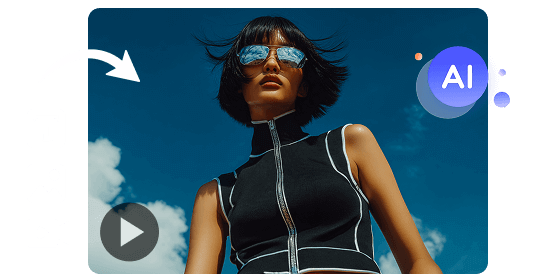
How the model turns a still into motion
Most video generation systems work by encoding the input image into a latent space, then decoding it frame by frame. The model adds a small amount of noise to each predicted frame and then denoises it, a process similar to how image prompting works for stills. The difference is that the model also has to maintain consistency between frames. It does this by keeping a memory of previous frames and adjusting the next prediction so that objects stay in place and do not suddenly change shape or color.
Motion transfer is the mechanism that decides which pixels should shift. The model looks at the image and finds edges, textures, and regions that suggest movement. A flowing river has a different texture than a mountain, and the model learns to apply different motion patterns to each. The result is that water moves, the mountain stays still, and the transition looks natural. Style preservation is another layer: the model tries to keep the artistic style of the original image, whether it is a photograph, a painting, or a digital render.
The phrase "image to video" captures this entire pipeline in three words. It is the process of taking a single static image and producing a sequence of frames that together form a short video. The term is used broadly, but the underlying technology varies widely between implementations. Some systems focus on realism, others on artistic effect, and some on speed. Knowing which aspect matters most to you helps in choosing the right approach.
What to look for in the output
After the model runs, you get a short video output, usually a few seconds long. The first thing to check is whether the subject stays recognizable. Faces should not distort, and objects should not flicker. Next, look at the motion quality. Is it smooth, or does it jump? Does the motion make sense for the scene? A calm lake should not have violent waves, and a person sitting still should not suddenly lurch. Finally, check the audio if the tool generates it. Cinematic audio that matches the mood of the image adds a lot, but it needs to sync with the motion. A mismatch can ruin the effect.

Common issues and how to handle them
Even the best models produce occasional glitches. A common one is temporal drift, where the background slowly shifts over frames. Another is object warping, where a person's arm bends in an impossible way. Some tools let you adjust parameters like motion strength or consistency weight. Increasing consistency weight can reduce warping but may also reduce motion. Finding the right balance requires a few attempts. It helps to start with the default settings and make small adjustments based on what you see.
Another issue is resolution. Many video generation models output at a lower resolution than the input image. If you need a high-definition clip, you may need to upscale the result. Some tools include upscaling as part of the pipeline, but it can add processing time. For social media posts, standard definition often works fine. For presentations or larger screens, check the output resolution before relying on it.
Practical uses for generated motion clips
Short videos from still images have found a home in several fields. Social media content creators use them to add movement to static posts, increasing engagement. E-commerce sites animate product photos to show fabric flow or how a lamp casts light. Artists create looping animations from their paintings, giving a new dimension to their work. In each case, the goal is the same: to make a static image feel alive without the cost and time of traditional video production.
The technology also works well for prototyping. A designer can take a concept sketch and see how it would look in motion before committing to a full animation. This saves time and helps communicate ideas to clients or team members. The trade-off is that the generated video may not be perfect, but it is often good enough to convey the concept. For final production, you would still use traditional methods or a refined model.
What the future likely holds
Video generation is improving rapidly. Models now handle longer clips, higher resolutions, and more complex motion. The second use of the phrase "image to video" is just as relevant today as it was when the technology first appeared, because the underlying concept remains the same. What changes is the quality and the range of inputs that work. Soon, we may see systems that can take multiple images and blend them into a coherent narrative, or that can extend a short clip indefinitely without losing consistency.
For now, the best approach is to experiment. Try different images, adjust settings, and compare results. The technology is not yet at the point where it works perfectly every time, but it is already useful for many everyday tasks. With a little patience and a good eye, you can turn a single photograph into a short video that captures attention and tells a story.
Corrections
Spot something wrong? Send it to the desk and it gets fixed in the open.